
VebAPI MCP Server
Artificial Intelligence is rapidly changing the way developers build applications. Instead of switching between dashboards, browser tabs, and API documentation, modern AI assistants can now perform real work using external tools through the Model Context Protocol (MCP).
To make SEO automation easier, VebAPI now provides a fully managed remote MCP Server that allows AI assistants to access live SEO data instantly.
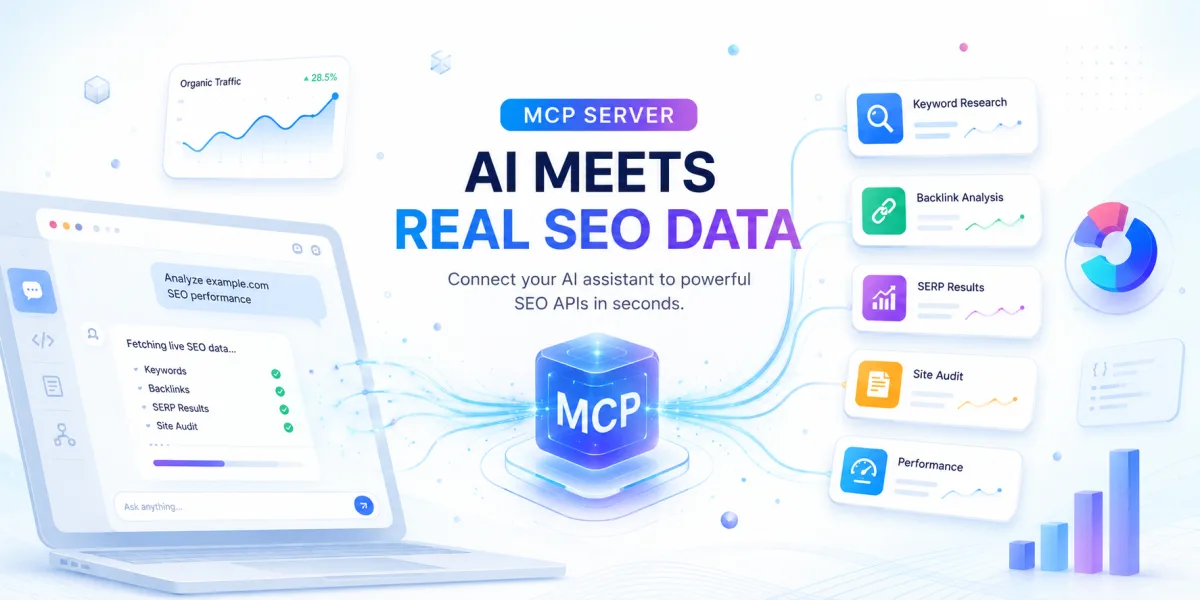
Whether you're using Claude Desktop, Cursor, Windsurf, Cline, Roo Code, or any other MCP-compatible client, VebAPI enables your AI to perform keyword research, analyze backlinks, audit websites, retrieve SERP rankings, inspect domains, and much more—all from natural language.
Get started:https://vebapi.com/mcp
What is Model Context Protocol (MCP)?
Model Context Protocol (MCP) is an open standard that allows AI assistants to securely communicate with external tools and services.
Instead of an AI model only answering questions from its training data, MCP lets it request live information whenever needed.
For example, rather than asking:
"How do I check backlinks?"
Your AI can actually retrieve the latest backlink profile for a website.
Instead of explaining keyword research, it can perform keyword research in real time.
This creates AI applications that are significantly more useful because they work with current data instead of static knowledge.
Why Use MCP Instead of Traditional APIs?
Traditional REST APIs are powerful, but they require developers to:
- Read documentation
- Write integration code
- Handle authentication
- Parse JSON responses
- Manage errors
- Build UI components
With MCP, your AI handles those tasks automatically.
You simply ask questions like:
- Find backlinks for example.com
- Show referring domains
- Audit this webpage
- Research SEO keywords for coffee shops
- Analyze website performance
- Find competitor keywords
The AI communicates with the VebAPI MCP server and returns structured results instantly.
Introducing the VebAPI MCP Server
The VebAPI MCP Server provides secure access to dozens of SEO APIs through one simple MCP endpoint.
Instead of integrating every API individually, developers can connect once and immediately unlock powerful SEO capabilities inside their favorite AI assistant.
The server is cloud-hosted, always available, and requires no local installation.
Simply connect your API key and start using it.
Learn more:
https://vebapi.com/mcp
What Can the VebAPI MCP Server Do?
The MCP server exposes many SEO tools available on the VebAPI platform.
Depending on your subscription, your AI assistant can perform tasks including:
Keyword Research
Generate keyword ideas from live search data.
Perfect for:
- Blog planning
- SEO campaigns
- PPC campaigns
- Content marketing
- Long-tail keyword discovery
Keyword APIs:
https://vebapi.com/apis
Backlink Analysis
Analyze backlinks pointing to any website.
Retrieve:
- Live backlinks
- Lost backlinks
- New backlinks
- Spam backlinks
- Referring domains
- Link metrics
Ideal for:
- Link building
- Competitor research
- SEO monitoring
- Agency reporting
SERP Analysis
Retrieve search engine results from multiple providers.
Useful for:
- Rank tracking
- Keyword monitoring
- Competitor analysis
- AI search research
- Organic visibility
Website SEO Audit
Run comprehensive on-page SEO analysis.
Your AI can identify:
- Missing meta descriptions
- Duplicate titles
- Heading structure
- Canonical issues
- Robots directives
- Open Graph tags
- Twitter Cards
- Internal linking
- Technical SEO problems
Website Performance
Analyze:
- Page speed
- Performance metrics
- Loading issues
- Optimization opportunities
Perfect for developers improving website performance.
Domain Intelligence
Retrieve information including:
- Domain authority metrics
- Registration details
- DNS information
- Website technologies
- Security data
Useful for agencies, marketers, and developers.
Works With Popular AI Clients
The VebAPI MCP server supports any client compatible with the Model Context Protocol.
Popular options include:
- Claude Desktop
- Cursor
- Windsurf
- Cline
- Roo Code
- Continue.dev
- VS Code MCP clients
- Custom AI agents
Because MCP is an open standard, new compatible applications continue to appear.
Why Developers Choose VebAPI
Developers often need multiple SEO APIs for a single project.
Instead of purchasing separate services, VebAPI provides a single platform covering multiple SEO capabilities.
Benefits include:
- Remote MCP Server
- REST APIs
- High availability
- Fast response times
- Simple authentication
- Affordable pricing
- Developer-friendly documentation
- Usage-based credits
- Continuous platform improvements
Common Use Cases
AI SEO Assistant
Build an assistant capable of answering questions like:
- Why is my traffic dropping?
- Which backlinks are new?
- What keywords should I target?
- Audit this page.
- Compare my competitors.
Content Marketing
Generate keyword opportunities before writing articles.
Discover search intent.
Identify ranking opportunities.
Research competitors.
Link Building
Find:
- New backlinks
- Lost backlinks
- Referring domains
- Spam links
Monitor link growth automatically.
Website Audits
Instead of manually reviewing pages, your AI can inspect websites and provide actionable SEO recommendations.
Agency Automation
Marketing agencies can automate repetitive SEO workflows including:
- Monthly reports
- Technical audits
- Competitor research
- Keyword discovery
- Client monitoring
Example Workflow
Imagine asking Claude:
Analyze vebapi.com and suggest SEO improvements.
The AI could:
- Audit the page.
- Retrieve keyword opportunities.
- Analyze backlinks.
- Find referring domains.
- Review page performance.
- Summarize recommendations.
Instead of switching between five different SEO tools, everything happens inside one conversation.
REST API or MCP?
The answer depends on your project.
Choose REST APIs if you are building software that directly communicates with VebAPI.
Choose MCP if you want AI assistants to perform SEO tasks automatically using natural language.
Many developers use both together.
Security
Authentication is handled using your VebAPI API key.
Only requests authorized by your account can access your available tools.
Your existing API credits continue to work with the MCP server.
Getting Started
Getting started only takes a few minutes.
- Create a VebAPI account.
- Generate your API key.
- Configure your preferred MCP client.
- Connect using the VebAPI MCP endpoint.
- Start asking your AI assistant to perform SEO tasks.
Complete documentation is available at:
Why MCP Matters for the Future of SEO
AI assistants are becoming the primary interface for developers.
Instead of opening dashboards, developers increasingly expect AI to complete tasks directly.
Model Context Protocol makes that possible.
Rather than replacing traditional APIs, MCP makes them dramatically easier to use.
As AI-assisted development continues to grow, MCP-enabled services will become a standard part of developer workflows.
VebAPI is committed to supporting this future by providing powerful SEO APIs through both traditional REST endpoints and the Model Context Protocol.
Frequently Asked Questions
What is the VebAPI MCP Server?
A remote Model Context Protocol server that allows AI assistants to access VebAPI's SEO APIs.
Does it require local installation?
No. The server is fully hosted by VebAPI.
Which AI clients are supported?
Any client compatible with the Model Context Protocol, including Claude Desktop, Cursor, Windsurf, Cline, Roo Code, and many others.
Can I still use REST APIs?
Yes. MCP is an additional integration option alongside the standard REST APIs.
What SEO tools are available?
Keyword research, backlink analysis, referring domains, spam backlinks, SERP data, website audits, performance analysis, domain intelligence, and many more.
Is documentation available?
Yes. Complete setup instructions are available at:
Start Building AI-Powered SEO Workflows Today
Whether you're building an AI coding assistant, an SEO automation platform, a marketing dashboard, or simply want your favorite AI assistant to access live SEO data, the VebAPI MCP Server provides a simple and powerful solution.
With support for modern MCP clients, a growing collection of SEO APIs, and developer-friendly integration, VebAPI helps bridge the gap between AI and real-world SEO data.
Visit https://vebapi.com/mcp to explore the documentation, connect your AI assistant, and start building smarter SEO workflows today.